While laptops are unbeatable for working on the go, staying docked at a kitchen table or dedicated home office day after day calls for a far better solution: The All-in-One (AIO) Desktop.
[caption id="" align="aligncenter" width="800"]
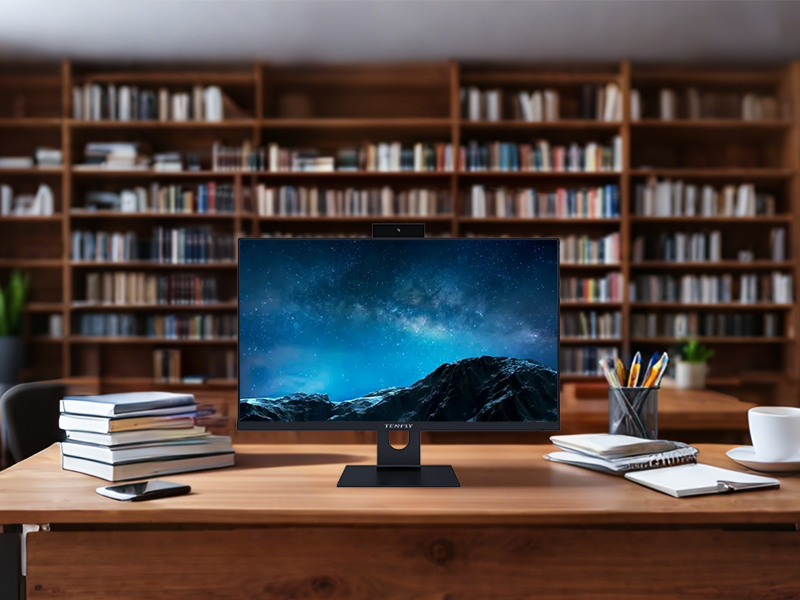 Home-based AIO PC[/caption]
Here is why an AIO PC beats a cramped laptop screen for your ultimate work-from-home (WFH) setup.
1. Ergonomics: Say Goodbye to Tech Neck
The most immediate benefit of an AIO is physical health.
The Laptop Trap: Laptops force a compromise between your eyes and hands. If the keyboard is at an ergonomic typing height, the screen sits too low, forcing your neck into a downward angle. Over time, this leads to chronic neck strain, shoulder stiffness, and headaches.
The AIO Solution: An All-in-One places a massive, eye-level display directly in front of you. You can maintain a natural upright posture while keeping your wireless keyboard and mouse in a relaxed position on the desk.
2. Real Estate Equals Focus and Productivity
A standard WFH laptop display sits between 13.3 and 15.6 inches. An average AIO desktop spans 24 to 32 inches with high-resolution clarity.
That extra screen real estate fundamentally changes how you work:
Multi-Window Efficiency: Run a video call on one side of the screen while taking notes, analyzing spreadsheets, or reviewing documents on the other—without toggling Alt+Tab every 10 seconds.
Reduced Cognitive Load: Constant window switching fragments your attention span. Having all necessary context visible simultaneously lowers mental fatigue during long workdays.
3. Clutter-Free Aesthetics and Minimal Setup
Turning a laptop into an ergonomic workstation requires an unsightly web of accessories:
Laptop stand or riser
External monitor & extra power cable
USB hub or docking station
External keyboard and mouse
Power brick and charging cable
An AIO integrates the computer, monitor, speakers, webcam, and microphone into a single sleek unit. With just one power cord plugging into the wall and wireless peripherals, your desk stays clean, distraction-free, and visually inspiring.
Summary: Dedicated Space for Focused Work
Laptops are built for mobility; AIOs are built for immersion, comfort, and sustained productivity. If your remote job rarely requires working from a coffee shop, ditching the tiny laptop screen for an All-in-One PC is one of the highest-return investments you can make for your health and workflow.